
We think the best chat plugin for your wordpress website is one that is lightweight, has an affordable cost, or even free (if possible) and that will let you communicate easy with your customers, and also provide a way for customers to create tickets when you are offline. We’ll review the top WordPress chat plugins in this list.
A chat widget that loads 400 KB of JavaScript before your product photos will cost you more in lost Core Web Vitals than it ever earns you in conversions. That single fact rules out about a third of the plugins in the WordPress directory before you even look at features.
We installed the nine chat plugins for WordPress below on three sites we run (a WooCommerce store doing roughly 1,200 orders a month, a service business site, and a plain content blog) and kept each one live for at least a week.
We measured widget weight with WebPageTest, answered real visitor chats, and paid for the plans we’re quoting where a trial wasn’t enough.
Here’s the short version if you’re in a hurry:
| Plugin | Best for | Free plan? | Starting price | AI chatbot |
|---|---|---|---|---|
| EasyChatDesk | Most WordPress sites, especially WooCommerce | Yes | $17/agent/mo | Built in |
| Tidio | Stores that want heavy automation | Trial only | $29/mo | Built in (Lyro) |
| LiveChat | Larger support teams | Trial only | $19/agent/mo | Add-on |
| Crisp | Startups and SaaS | Yes (2 seats) | $25/mo per site | Paid tier |
| Tawk.to | Zero budget, unlimited agents | Yes, fully | $0 | No |
| HubSpot Live Chat | Sites already on HubSpot CRM | Yes | $0 | Limited |
| Olark | Teams that live in analytics | Trial only | $29/agent/mo | No |
| JivoChat | Phone + chat + social in one inbox | Yes (5 agents) | $19/agent/mo | No |
| 3CX Live Chat | Self-hosted, privacy-first setups | Yes | $0 | No |
1. EasyChatDesk
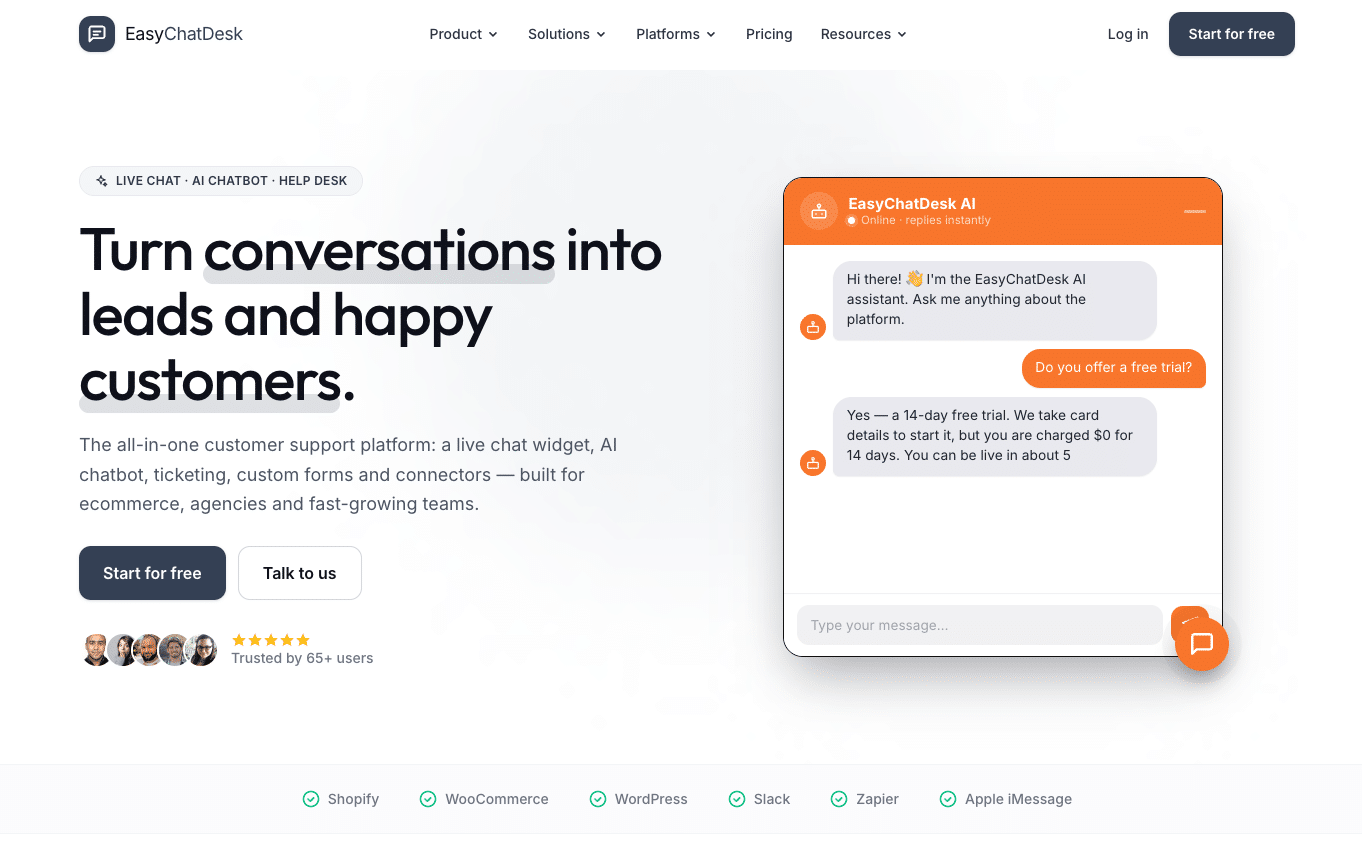
EasyChatDesk is the one we left running on the WooCommerce store after testing ended, which is about the highest compliment a plugin can get from us.
The pitch is simple: live chat, an AI chatbot, help desk ticketing and custom forms in one dashboard, priced at $17 per agent per month after a 15-day trial.
There’s a free tier for the basic widget. That combination matters because most WordPress sites end up stitching together three tools (a chat widget, a ticketing plugin, a separate form builder) that don’t share customer history. EasyChatDesk keeps all of it in one inbox, so when a visitor starts a chat, the agent already sees the two tickets that person opened last month.
Installation is easy
Installation is the standard route: Plugins → Add New, search, activate, paste your license key from the dashboard. Took us four minutes including account signup. The widget loads asynchronously, and on the store it added about 38 KB to the page and had no measurable effect on LCP. That’s the lightest of anything on this list except Tawk.to and 3CX.
The AI chatbot is where it earns the top spot.
You point it at your existing content (help articles, FAQ pages, past tickets) and it answers from that instead of hallucinating. On the store it handled shipping-time and return-policy questions overnight without anyone touching it, and it escalates to a human or converts the chat to a ticket when it gets stuck. The escalation carries the full transcript, so nobody has to ask the customer to repeat themselves.
Other things we liked: it captures UTM parameters and referrer on every chat, which is oddly rare, and it prevents duplicate sessions when someone opens your site in two tabs. Connectors exist for WooCommerce, Shopify, Slack, Zapier, plus webhooks and an API.
Where it falls short: the company is smaller than Tidio or LiveChat, so the integration catalogue is shorter. If you need Salesforce sync out of the box, you’ll be going through Zapier. The reporting is solid on response times and conversions but doesn’t go as deep as Olark’s.
Best for: WooCommerce stores, agencies managing client sites, and any team that wants Intercom-style capability without paying Intercom prices.
2. Tidio
Tidio has become the default recommendation in a lot of WordPress circles, and for automation-heavy stores it deserves the reputation.
Its Lyro AI agent is trained on your support content and, in our testing, resolved roughly two-thirds of incoming questions without a human. The Flows builder for scripted automations (abandoned cart nudges, discount triggers on exit intent) is the best visual editor in this category.
The problem is pricing. There’s no free plan anymore, only a seven-day trial. The Starter plan is $29 a month, Growth is $59, and if you actually want Lyro handling meaningful volume you’re looking at the Tidio+ tier at $749 a month. That’s fine for a store doing six figures. It’s absurd for a three-person shop.
Multichannel is strong: Messenger, WhatsApp, Instagram and email all land in one inbox. The WooCommerce integration shows cart contents and order history next to the chat.
Widget weight was around 130 KB. Not terrible, but noticeable on a slow mobile connection.
Best for: eCommerce stores with the budget for real automation.
3. LiveChat
LiveChat is the polished, enterprise-leaning option. The agent interface is the nicest to actually work in all day, chat routing is sophisticated (skills-based, load-balanced, or round robin), and it plugs into 200+ apps including HubSpot, Salesforce, Zendesk and most helpdesks.
AI is an add-on rather than built in. You get LiveChat’s own assistant features on the higher tiers (suggested replies, auto-tagging, knowledge base answers), but a full chatbot means adding ChatBot.com from the same parent company, which is another subscription.
Pricing is per agent: $19 Starter, $49 Team, $79 Business. A five-person team on the Team plan is $245 a month before any chatbot. The reporting justifies that for support-heavy businesses; for a small store it’s overkill.
Best for: support teams of five or more that need routing and detailed agent performance reports.
4. Crisp
Crisp is the best-looking widget on this list and probably the most pleasant for a startup to adopt. The free plan gives you two seats and real live chat with no branding removal tricks. The Pro plan at $25 per month per website adds triggers and integrations, and Unlimited at $95 gets you the chatbot, co-browsing and campaigns.
Two features stand out. The shared inbox pulls in email, Messenger and Instagram alongside chat, so a small team can run all customer communication from one screen. And co-browsing lets an agent see the visitor’s screen and point at things, which is invaluable for SaaS onboarding.
The gaps: no WhatsApp on the lower tiers, no SMS at all, and the chatbot on the Unlimited plan is a scripted builder rather than an LLM-based agent. If you want a bot that actually reads your docs, EasyChatDesk or Tidio do that better.
Best for: SaaS and startups that want a modern interface and a shared inbox.
5. Tawk.to
Tawk.to is free. Not freemium, not “free for one agent”. Unlimited agents, unlimited chats, unlimited history, visitor monitoring, a ticketing system, and mobile apps. All of it costs nothing.
The catch is the “Powered by tawk.to” badge on the widget, which costs $19 a month to remove, and the complete absence of AI. Every chat needs a human on the other end. Tawk.to makes money by selling you those humans (outsourced chat agents from about $1 an hour) and by upsells like video calling.
For a high-traffic site with an existing support team, that trade is fine. We ran it on the content blog with two volunteers answering and it handled 60+ chats a day without a hiccup. The widget is one of the lightest we measured.
What it isn’t: a solution for a solo founder who can’t sit in the dashboard all day. Without a bot, an unattended Tawk.to widget just becomes a slower contact form.
Best for: high-volume sites with staff available to answer, or anyone who needs unlimited seats at zero cost.
6. HubSpot Live Chat
If you’re already using HubSpot as your CRM, this is a no-brainer, and the reference articles that leave it out are missing something. The free HubSpot WordPress plugin gives you live chat, a basic chatbot builder, forms, and every conversation written straight to the contact record.
The chatbot on the free tier is rules-based (if visitor says X, show Y) rather than AI. Proper AI agents require Service Hub Professional, which starts around $90 per seat per month and is really priced for teams that need the rest of the hub.
We wouldn’t pick HubSpot chat on its own merits. The widget is heavier than most (it drags in HubSpot’s tracking script) and the customisation options are limited. But the CRM tie-in is the point, and for HubSpot shops nothing else comes close on lead attribution.
Best for: sites already on HubSpot.
7. Olark
Olark is the analyst’s chat plugin. It logs everything: visitor path before the chat, chat ratings, agent response times, transcript search across years of history. The pre-chat survey and offline forms are more configurable than anyone else’s, and the widget can be restyled down to individual CSS properties.
There’s no AI chatbot. There’s also no free plan, just a 14-day trial, and the Basic plan is $29 per agent per month.
Olark hasn’t kept pace with the automation features of the newer platforms, and it shows. But if your priority is understanding what happened in every conversation rather than automating them, it still does that better than anyone.
Best for: sales teams that want to mine chat data, and brands with strict visual identity requirements.
8. JivoChat
JivoChat’s angle is that it’s a phone system as much as a chat tool. Website chat, WhatsApp, Instagram, Messenger, email, and actual voice calls (with a callback widget) all land in one inbox, and agents can switch a text conversation to a call without leaving the app.
The free plan supports five agents with basic chat, which is more generous than most. Professional is $19 per agent per month and adds the social channels. No AI chatbot, so same caveat as Tawk.to: someone has to be online.
The call quality in our tests was clear and stable. If your sales process involves picking up the phone, this saves you from running a separate softphone.
Best for: sales-driven businesses that want chat and phone in one place.
9. 3CX Live Chat (formerly WP-Live Chat Support)
The one genuinely self-hosted option here. Chats are stored in your own WordPress database, nothing goes to a third-party server unless you connect it to a 3CX phone system, and the plugin is free.
That makes it the right pick for law firms, clinics, and EU businesses with strict data residency rules. It’s also lightweight since there’s no external script.
The trade-offs are real, though. Agents answer from inside wp-admin, which is clunky. There’s no mobile app without the 3CX system. No AI, no multichannel, and the interface looks like it was designed in 2018 because it mostly was.
Best for: anyone who cannot send customer conversations to a third-party cloud.
How to actually choose
Most of the “best chat plugin” articles out there hedge with “it depends on your needs”. It mostly doesn’t. Here’s the decision as we’d make it:
If you run a WooCommerce store or a service business and you don’t have someone sitting in a chat dashboard all day, you need an AI bot that reads your own content and escalates cleanly. That’s EasyChatDesk at $17 per agent, or Tidio if you can justify $749 a month for the good tier.
If you have a support team of five or more with a manager who cares about routing rules and agent metrics, pay for LiveChat.
If your budget is zero and you have people to answer, Tawk.to. If your budget is zero and you don’t, install EasyChatDesk’s free tier and turn the bot on.
If you’re on HubSpot, use HubSpot chat and stop reading.
Everything else in this list is a specialist tool for a specific constraint (data residency, phone integration, deep analytics), and you’ll know if that constraint applies to you.

Three things to check before you install anything
Widget weight. Open Chrome DevTools, load your homepage with the plugin active, filter the Network tab by JS and look at what the chat script pulls in. Anything above 150 KB deserves a hard look.
Then run PageSpeed Insights before and after; if your mobile LCP moves by more than 200 ms, try a different plugin.
Where the data lives. Every cloud chat tool stores transcripts on its servers, which may be outside the EU. If you’re subject to GDPR, check the provider’s data processing agreement before a visitor types their email into the widget. Tawk.to, Crisp and EasyChatDesk all publish DPAs; 3CX sidesteps the issue entirely.
What happens when nobody’s online. Load your own site at 11 pm and start a chat. If the widget just says “leave a message” with no bot, no expected response time, and no fallback to a ticket, you’ve built a slower contact form. The good plugins on this list either answer with AI or at minimum convert the chat to a ticket with an auto-reply. The bad ones leave the visitor staring at a spinner.
That last test is the one most people skip, and it’s the one that separates a chat plugin that grows revenue from one that quietly annoys customers for years.




